- Home Page /
- Tools & Home Improvement /
- Electrical /
- Testers /
- Circuit Testers /
- NetAlly LSPRNTR-100 LinkSprinter 100 Network ...
0 ratings




Item #:
5370500
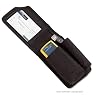
NetAlly LSPRNTR-100 LinkSprinter 100 Network Tester
Item #:
5370500
€ 791
Price Details
Excluding Shipping & Custom charges ( Shipping and custom charges will be calculated on checkout )
*All items will import from US
0 ratings
Write a review
In stock
 Imported from USA store
QTY:
Order now and get it around Wednesday, July 15
Secured transaction
Ubuy works hard to protect your security and privacy. Our advanced payment security system ensures confidentiality by encrypting your information during transmission using AES (Advanced Encryption Standards) and SSL (Secure Socket Layer) protocols. Your payment details are 100% secure as we do not share your payment details with third party sellers.
Our Top Logistics Partners


LinkSprinter is the smart and expert pocket-sized network connection tester that fits in the palm of your hand.

Fast
Shipping

Free
Return*

Secure Packaging

100% Original Products

PCI DSS Compliance

ISO 27001 Certified


Note: Step 1 Voltage Transformer required for using electronics products of US store (110-120). Recommended power converters Buy Now.


What Stands Out
Quick Troubleshooting
The LinkSprinter 100 allows users to quickly verify network connectivity with its one-button operation, reducing downtime and enhancing efficiency in networking environments.
Comprehensive Reports
It generates detailed reports on network status and performance metrics, helping IT professionals to easily diagnose issues and improve network reliability.
Compact Design
Its portable and lightweight design ensures that the LinkSprinter 100 is easy to carry, making it ideal for technicians on the go requiring instant network testing.
Product Details
- Diagnose and test Power over Ethernet (PoE), switch link, DHCP, Gateway, and Internet connection
- Obtain VLAN, switch name, and port information through CDP/LLDP/EDP for managed switches
- Send all test results to the Link-Live Cloud Service
- Not compatible with Wi-Fi access point feature; consider Linksprinter 200 or 300 for this functionality
- Receive detailed test results directly to your email
- Compact pocket-sized network connection tester with color-graded LEDs for quick troubleshooting and actionable results
| Power Source | Corded Electric |
| Compatible Devices | Ethernet-enabled devices with PoE, CDP/LLDP/EDP support |
| Style Name | Modern |
| Color | Orange |
| Item Weight | 0.25 Pounds (110 grams) |
| Item Dimensions | 6 x 4.25 x 2 inches (15.2 x 10.8 x 5.1 cm) |
| Specification Met | CE, ETL, NIST, RoHS, UL |
| Brand Name | Fluke Networks |
| Model | 4401131 |
| UPC | 647367437188 754082110668 |
| Manufacturer | Fluke |
| Global Trade Identification Number | 00754082110668 |
| Part Number | LSPRNTR-100 |
| Item Part Number | LSPRNTR-100 |
| Unit Count | 1 Count |
| Brand | Fluke Networks |
| Style | Modern |
Who Should Buy?

-
IT Technicians
Ideal for IT technicians needing quick network diagnostics and troubleshooting capabilities in various environments.
-
Network Administrators
Perfect for network admins to verify connectivity, speed, and IP configuration while managing multiple devices simultaneously.
-
Field Engineers
Great for field engineers requiring portable and efficient tools to test network connections in remote locations.

-
Home Users
Not suitable for casual home users who do not require advanced network diagnostics for simple home setups.
-
Budget-Conscious Buyers
May not be ideal for those seeking a low-cost basic network tester without advanced features or capabilities.
-
Specialized Engineers
Less effective for specialized engineers needing comprehensive network analysis beyond basic connectivity testing.
Product Description
Have any Query? Chat with us
Customer Questions & Answers
-
Question:
What is the NetAlly LSPRNTR-100 LinkSprinter 100 Network Tester used for?
Answer: The NetAlly LSPRNTR-100 LinkSprinter 100 Network Tester is designed for testing network connectivity and diagnosing issues in wired and wireless network environments. It quickly determines if a network is functioning properly by testing connections to DHCP, DNS, and internet availability. This tool is ideal for IT professionals and network technicians who need a reliable way to troubleshoot networking problems in a variety of settings, including offices, data centers, and field locations. -
Question:
How does the LinkSprinter 100 conduct a network test?
Answer: The LinkSprinter 100 performs a network test using a simple plug-and-play approach. You connect it to an Ethernet port, and it automatically begins diagnosing the network by checking various parameters such as IP address assignment, gateway connectivity, and internet access. Its user-friendly interface displays status indicators and detailed test results, making it accessible even for those without extensive technical knowledge. This enables fast troubleshooting and helps minimize downtime in network operations. -
Question:
What features does the LinkSprinter 100 offer?
Answer: The LinkSprinter 100 comes equipped with various features to assist in networking diagnostics. It includes automatic detection of DHCP, DNS, and internet status, alongside an LED indicator for quick visual feedback. Additionally, it can generate reports that can be emailed or saved, aiding in documentation and further analysis. This makes the LinkSprinter not only a practical troubleshooting tool but also a versatile option for network audits and performance reviews. -
Question:
Can the LinkSprinter 100 help with wireless network testing?
Answer: While the LinkSprinter 100 is primarily a wired network tester, it can still provide insights into wireless network functionality indirectly. By testing the wired connections that support wireless access points, it can verify if the internet connection is live and stable, which is vital for wireless performance. Hence, using it along with a wireless monitoring tool can give comprehensive insights into both wired and wireless network health. -
Question:
Is the LinkSprinter 100 suitable for both home and enterprise use?
Answer: Yes, the LinkSprinter 100 is versatile enough for both home users and enterprise IT professionals. In a home setting, it can assist with basic connectivity issues, ensuring that devices remain online. In an enterprise environment, it offers the robustness required for more complex networks, allowing quick diagnostics and reporting to maintain optimal network performance across multiple devices and locations. -
Question:
How can I reset the LinkSprinter 100 to its factory settings?
Answer: Resetting the LinkSprinter 100 to factory settings is a straightforward process. You can do this by simply holding the reset button located typically on the device for a few seconds until the LED indicators respond accordingly. This is beneficial if you need to clear previous configurations or troubleshoot persistent issues, thereby enabling a fresh start for accurate diagnostics. -
Question:
What types of cables can I use with the LinkSprinter 100?
Answer: The LinkSprinter 100 uses standard Ethernet cables, specifically CAT5e or higher. These cables provide the necessary connection quality for reliable testing. For optimal performance, it is advisable to use high-quality cables that comply with networking standards, as the type of cable can impact speed and connectivity during testing. This makes it essential for ensuring accurate results in various network conditions. -
Question:
Does the LinkSprinter 100 have a mobile app integration?
Answer: Yes, the LinkSprinter 100 can connect to mobile applications provided by NetAlly for enhanced functionality. This integration allows users to receive real-time updates and reports on their devices, facilitating remote troubleshooting, and providing accessibility from anywhere. By utilizing the app, technicians can document issues and manage network tests effectively on-the-go. -
Question:
How do I interpret the results displayed on the LinkSprinter 100?
Answer: Interpreting the results on the LinkSprinter 100 is intuitive. The device utilizes color-coded LED indicators that represent network status: green for connectivity, yellow for possible issues, and red for network failures. Additionally, it provides detailed diagnostic results on a mobile app or through reports, which can elucidate specific issues like IP address conflicts or DNS failures, helping to pinpoint the problem areas quickly. -
Question:
Where can I buy NetAlly LSPRNTR-100 LinkSprinter 100 Network Tester in Mayotte?
Answer: You can purchase the NetAlly LSPRNTR-100 LinkSprinter 100 Network Tester from Ubuy, which offers a wide selection of electronic products including professional network testing tools. Ubuy provides a reliable platform for online shopping, ensuring that you can easily find this advanced network tester and have it delivered to your location in Mayotte.
FlukeNetworks Circuit Testers Editorial Review
The Fluke Networks LinkSprinter 100 Network Tester is a versatile tool that can be used to identify switch ports in seconds using CDP protocol. It is compact and comes with a lanyard which adds to the convenience of use. However, it does have limitations as it cannot provide cable length or detect split pairs on cat 5. Overall, it is a handy tool to have for quick and easy identification of switch ports.
Customer Reviews & Ratings
15 customers ratings
-
5 Star
20%
-
4 Star
9%
-
3 Star
23%
-
2 Star
13%
-
1 Star
35%
Review this product
Share your thoughts with other customers
Pros
- Compact and easy to use
- Quickly identifies switch ports with CDP protocol
Cons
- Cannot provide cable length information
Product Price History
Important information
- Limitations : For products shipped internationally, please note that any manufacturer warranty may not be valid; manufacturer service options may not be available; product manuals, instructions, and safety warnings may not be in destination country languages; the products (and accompanying materials) may not be designed in accordance with destination country standards, specifications, and labeling requirements; and the products may not conform to destination country voltage and other electrical standards (requiring use of an adapter or converter if appropriate). The recipient is responsible for assuring that the product can be lawfully imported to the destination country. When ordering from Ubuy or its affiliates, the recipient is the importer of record and must comply with all laws and regulations of the destination country.
- Not all the products listed on Ubuy are for sale, as Ubuy is a global search engine. Products are subject to export/trade regulations.
€ 791
Order now and get it around Wednesday, July 15
This item is not restrict in my country.(Please click on above link if this item is not restrict in your country, So our team will review and allow.)
QTY:
Secured transaction
Ubuy works hard to protect your security and privacy. Our advanced payment security system ensures confidentiality by encrypting your information during transmission using AES (Advanced Encryption Standards) and SSL (Secure Socket Layer) protocols. Your payment details are 100% secure as we do not share your payment details with third party sellers.
Our Top Logistics Partners
Fastest cross-border delivery
Features & Benefits
- Smart and expert pocket-sized network connection tester
- Delivers actionable results with color-graded LEDs
- Identifies Ethernet problems in less than nine seconds
- One-button auto-test design
- Automatic cloud storage of test data
- Highlights problem areas with LED interface