Explore MIDI Keyboards and Controller Types
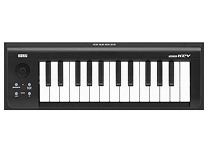
MIDI keyboard equipment lets you play and control music software using a physical keyboard or hands-on controls. Unlike a digital piano, a standard MIDI controller sends performance data—such as notes, velocity, pitch bend, and modulation—to a computer, tablet, sound module, or compatible instrument; it may not produce sound by itself. Compact controllers with 25 or 32 keys suit portable setups, while 49-, 61-, and 88-key models offer more playing range. Some combine keys with drum pads, knobs, faders, transport buttons, or an onboard sequencer, making them useful for composing, beat-making, and live performance. You can compare these formats on Ubuy when exploring international music equipment. Choose a controller around your playing style, workspace, and preferred music production workflow.
- Controllers send MIDI performance data
- Key counts range from compact to full-size
- Some models add pads and assignable controls
Compare Key Action, Size, and Playing Feel
Key feel affects both comfort and expressive control. Synth-action keys are light and responsive for fast parts, compact setups, and electronic music; semi-weighted keys add resistance that some players prefer for varied dynamics. Fully weighted hammer-action keys are designed to resemble an acoustic piano and are often found on 88-key controllers, though they take up more space and can feel less suited to rapid synth passages. Check whether keys are full-size or mini, and whether the keybed supports velocity sensitivity. Aftertouch, where available, can add expression after a key is pressed, while pitch-bend and modulation wheels offer familiar performance gestures. Try to match the action and layout to your technique, available desk space, and the instruments you intend to play.
- Synth action favors light, quick playing
- Weighted keys provide a piano-like response
- Velocity and aftertouch add expression
Use Pads, Knobs, Faders, and Performance Controls
Additional controls can reduce reliance on a mouse and make a MIDI keyboard more useful for arranging and performing. Velocity-sensitive drum pads are suited to triggering samples, programming beats, and launching clips; RGB lighting on some models can help identify assigned functions. Rotary knobs and faders can be mapped to software instruments, mixer levels, filters, effects, or automation, while transport controls may handle playback and recording. Some keyboards include arpeggiators, chord modes, scales, or step sequencers to support idea generation and rhythmic input. These features vary by model, so consider which controls fit your routine rather than choosing by quantity alone. Brands such as Akai Professional, Novation, and Arturia offer controllers with different combinations of keys and performance features.
- Pads support beat-making and clip triggering
- Assignable knobs and faders control software
- Sequencing tools can speed up music creation
Check MIDI Connectivity, DAW Support, and Compatibility
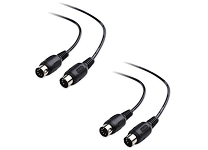
Before buying, confirm how the controller connects to your music setup. USB MIDI is common for computers and some mobile devices, while five-pin MIDI ports can connect compatible hardware synthesizers, sound modules, and other equipment. Check the required cable, power source, operating system support, and whether an adapter or powered hub is needed for your device. A controller may include integration features for a particular digital audio workstation (DAW), but standard MIDI mapping can also allow use with other compatible software. Bundled virtual instruments or music-production software vary by product and may have separate system requirements or registration steps. Ubuy can help you discover international MIDI keyboards and related equipment; review product specifications carefully to ensure the connections and software fit your existing setup.
- Compare USB MIDI and five-pin MIDI ports
- Verify device, operating system, and DAW support
- Check power needs and included software
Match a MIDI Controller to Your Music Setup
The right controller depends on where and how you make music. A small, lightweight keyboard can suit travel, a crowded desk, or quick sketching, while a larger keybed is helpful for two-handed parts and broader piano arrangements. Producers may prioritize pads, transport controls, and assignable faders; keyboard players may prefer more keys, a sustain-pedal input, and a comfortable action. For a live rig, consider sturdy construction, clear control assignments, and easy access to essential functions. Home studio users should also account for desk depth, cable routing, monitor placement, and the space needed for a laptop or audio interface. Native Instruments and M-Audio are among recognized names in the controller market, but compare individual specifications, layouts, and compatibility rather than relying on brand alone.
- Choose key count to match your playing range
- Consider portability and available workspace
- Prioritize controls that fit your workflow
Select the Right midi keyboards equipment
Compare key action, key count, control layout, connections, software compatibility, and physical dimensions before choosing midi keyboards equipment. Read the product specifications for details such as velocity response, aftertouch, pedal inputs, USB or DIN MIDI, and power requirements, since feature sets differ between models. If you already use a DAW or hardware synthesizer, check its supported connections and MIDI configuration options. A sustain pedal, expression pedal, USB cable, MIDI cable, stand, or protective case may be useful accessories, but confirm what is included with the particular product. Keep keys and pads free of dust, disconnect cables carefully, and follow the manufacturer's care guidance. On Ubuy, compare product details to identify a controller that suits your instruments, creative workflow, and available space without paying for controls you do not need.
- Check specifications and included accessories
- Confirm compatibility with your instruments
- Choose features that serve your workflow